Customer quote links that actually work - no logins, no friction
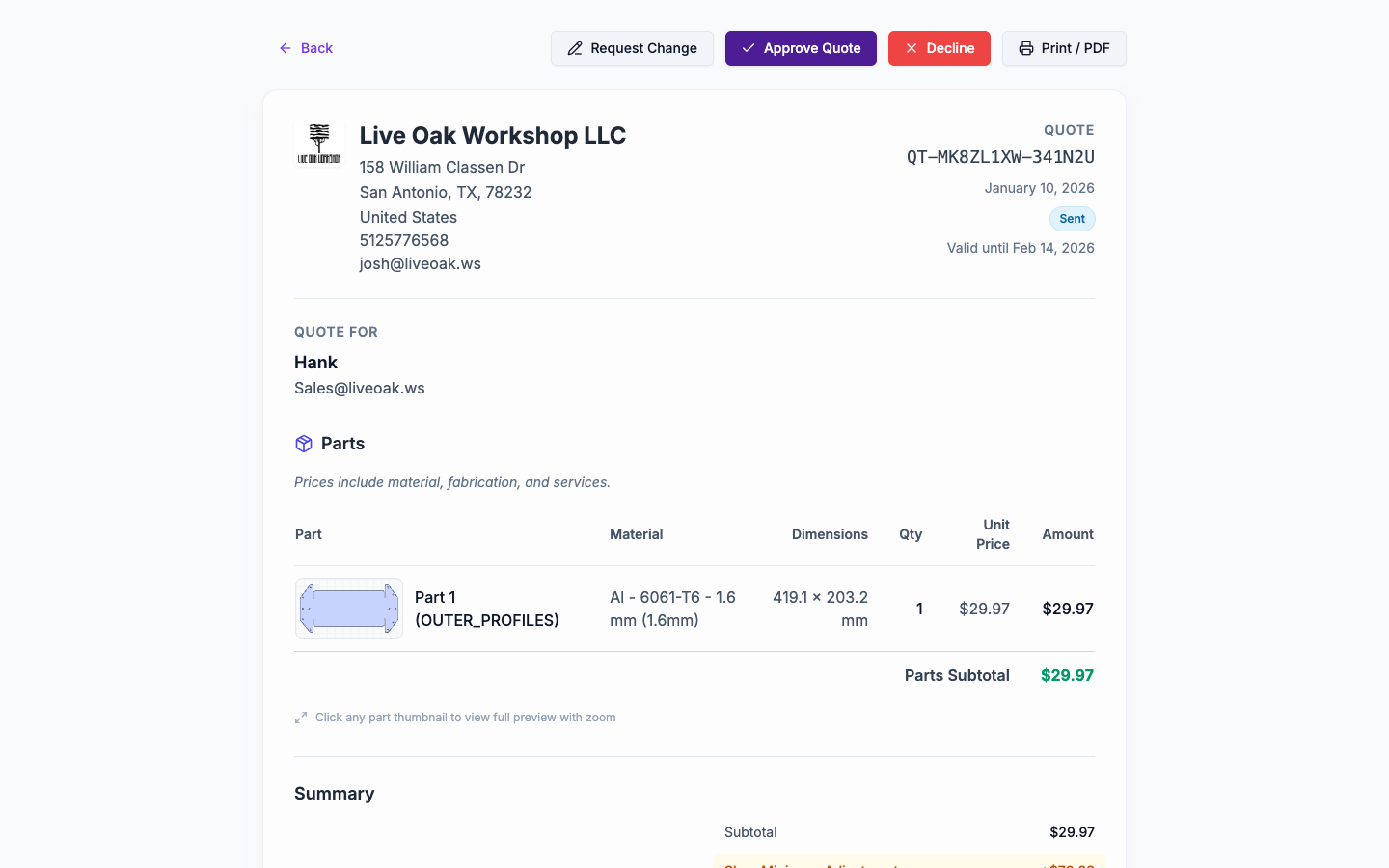
Send one link. Customers see a clean quote page and can accept, reject, or request changes. No accounts to create, no PDF attachments to lose, no email tag chasing responses.
Why traditional quote delivery fails
PDF attachments get lost
The quote PDF is buried in an email thread somewhere. The customer can't find it. You resend. Repeat.
No clear way to respond
"Reply to this email if you accept" - and then you're managing approvals in your inbox.
Revisions create version confusion
Quote_v2_final_revised.pdf vs Quote_v2_final.pdf. Which one did they sign?
Customer login friction
"Create an account to view your quote" - yeah, they're not doing that for a one-off job.
No visibility into customer actions
Did they open it? Did they read it? Are they waiting on something? You have no idea.
Feedback buried in email threads
"Can you lower the setup fee?" - now you're searching emails to find what they actually said.
How customer quote links should work
Send one persistent link
The customer gets a URL that always shows the current version of the quote. No attachments to track.
Let customers respond without logging in
Accept, reject, or request changes - right from the quote page. No account required.
Update the quote and keep the same link
If pricing changes, edit the quote and resend. The customer sees the new version at the same URL.
Track status automatically
Know when a quote is sent, viewed, accepted, or rejected. No manual status updates.
Capture feedback in one place
Customer comments and change requests are logged on the quote, not scattered across email.
How NanoQuote customer quote links work
Shareable quote URL
Each quote has a unique link. Send it via email, text, or however you communicate with customers.
No customer login required
Customers view the quote and respond without creating an account. Zero friction.
Accept / Reject / Request Changes buttons
Clear actions on the quote page. Customers click, you get notified, status updates automatically.
Live quote updates
Edit the quote and resend the link. Customers always see the latest version. Old versions are replaced.
Status tracking
Quote status flows from Draft → Sent → Accepted/Rejected. See the timeline in quote history.
Feedback capture
When customers request changes, their comments are saved on the quote. No email archaeology required.
Why shops love customer quote links
Frequently asked questions
Yes. If you need to pull a quote back, you can retract it. The link stops working and the customer sees a 'quote unavailable' message.
The link is public (no login required), so anyone with it can view the quote. For sensitive quotes, communicate directly or use your own access controls.
Yes. You can choose whether to show detailed line items or rolled-up part costs. You can also mark certain services as 'always show as line item' for transparency.
The quote status changes to 'Accepted' and you receive a notification (if configured). The accepted quote is logged in the quote history.
The quote page is designed for on-screen viewing and action. If you need a PDF, you can print the page or export from your browser.
You can continue to edit and communicate about the quote. The status tracks the customer's last action, and you can add notes or send updates as needed.
Related resources
Product Features
Help & Docs
Ready to quote faster and more accurately?
Start with 5 free quotes - no credit card, no commitment. See how NanoQuote fits your shop.