Product demo
Watch the demo, then scroll the exact workflow.
NanoQuote turns a customer DXF into a clean, consistent quote-without spreadsheets or ERP friction.
First 5 quotes free, foreverDXF → quote in minutes
100-second demo video
Watch once, then scroll the same steps with screenshots and extra detail.
Scroll-through walkthrough
Each section below matches what you saw in the video, with screenshots from the app and links to the relevant docs.
1) Create a quote
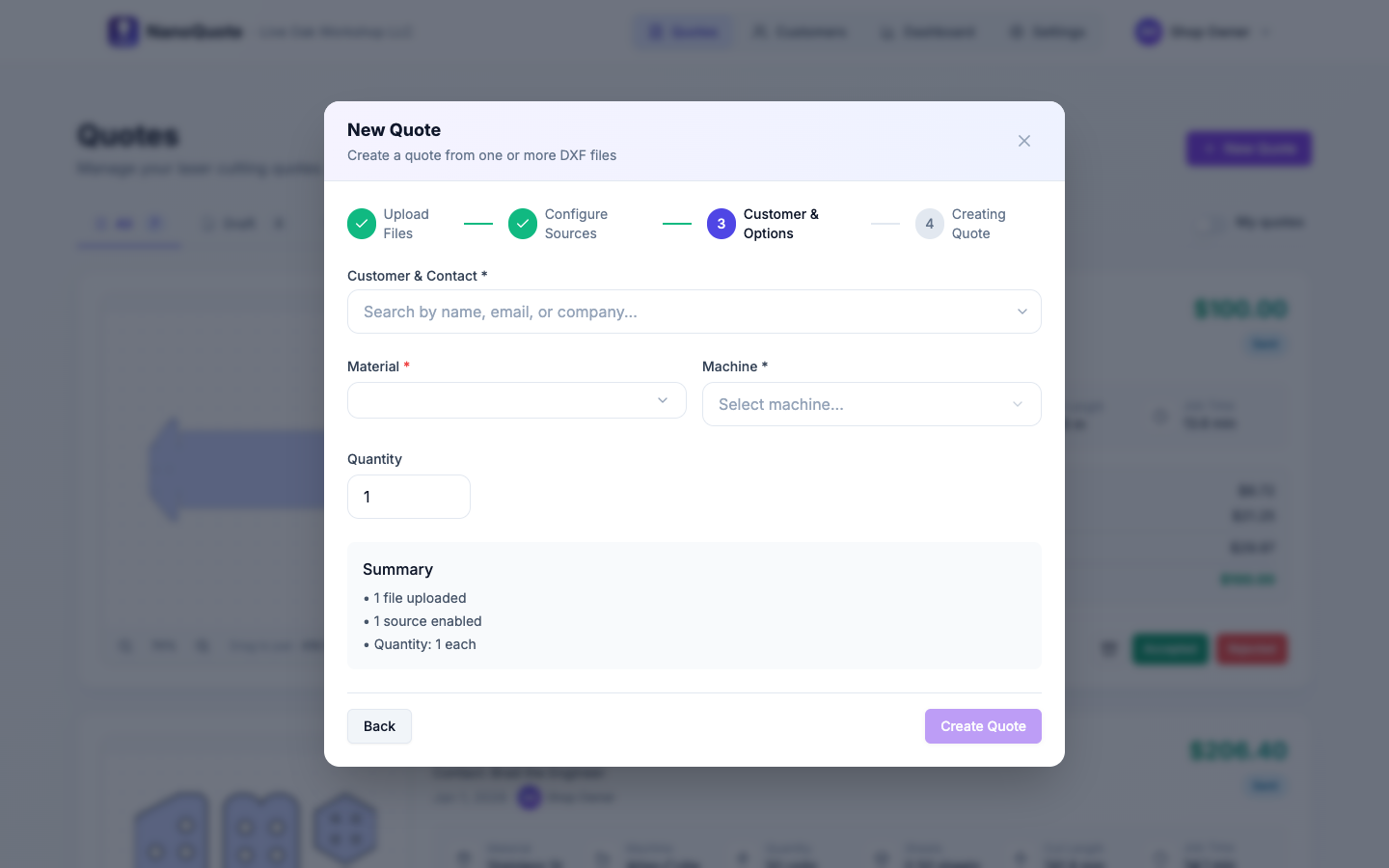
Start a new quote and pick a customer (or add one on the fly).
- Create a quote in seconds
- Attach it to a customer record
- Keep all revisions and status changes organized
Want the deep dive? Read the related docs.
2) Upload the DXF
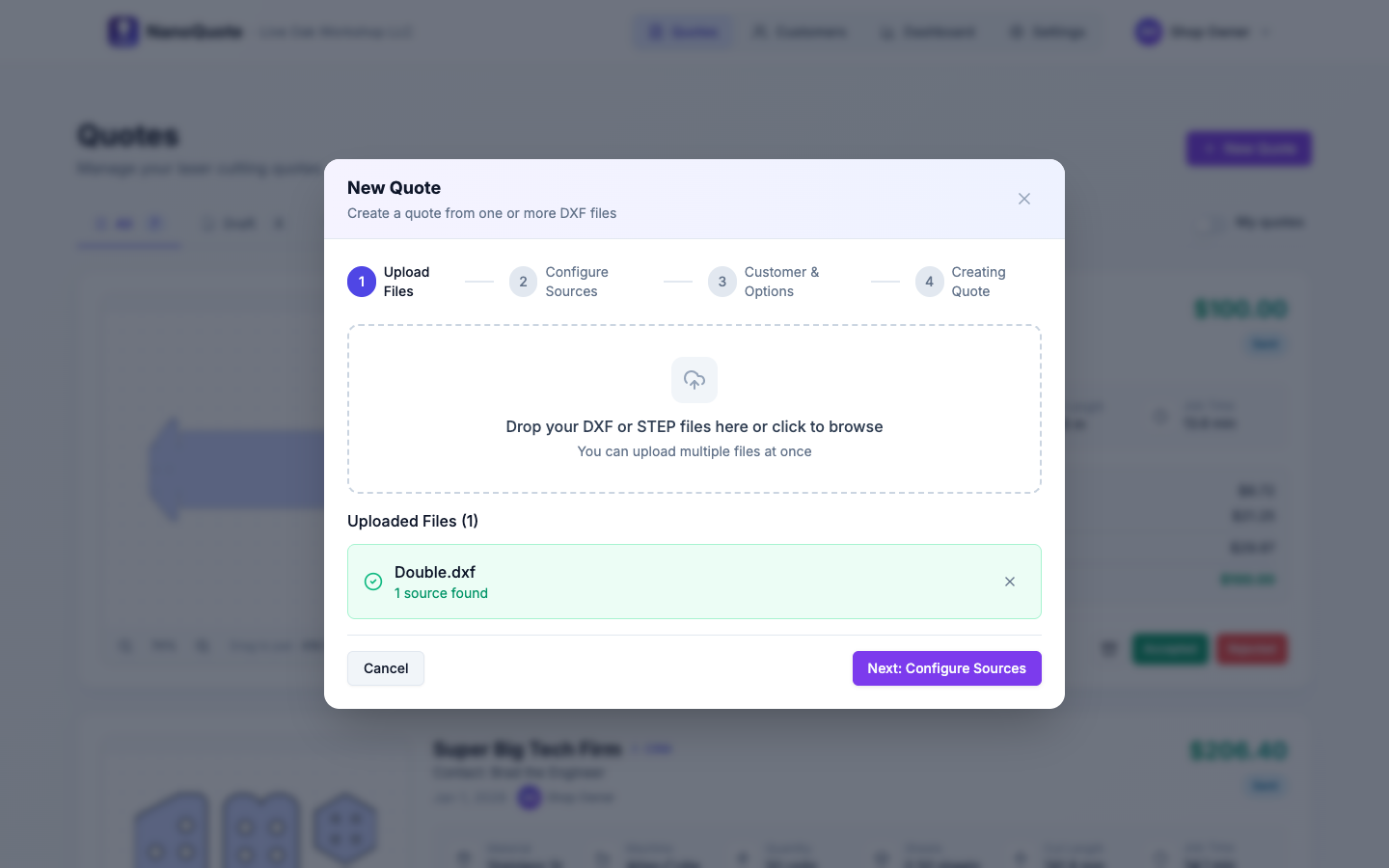
Drop in a DXF and NanoQuote analyzes the geometry for quoting inputs.
- DXF parsing for cut length + pierces
- Layer selection (when applicable)
- Unit handling when files are ambiguous
Want the deep dive? Read the related docs.
3) Review parts and line items
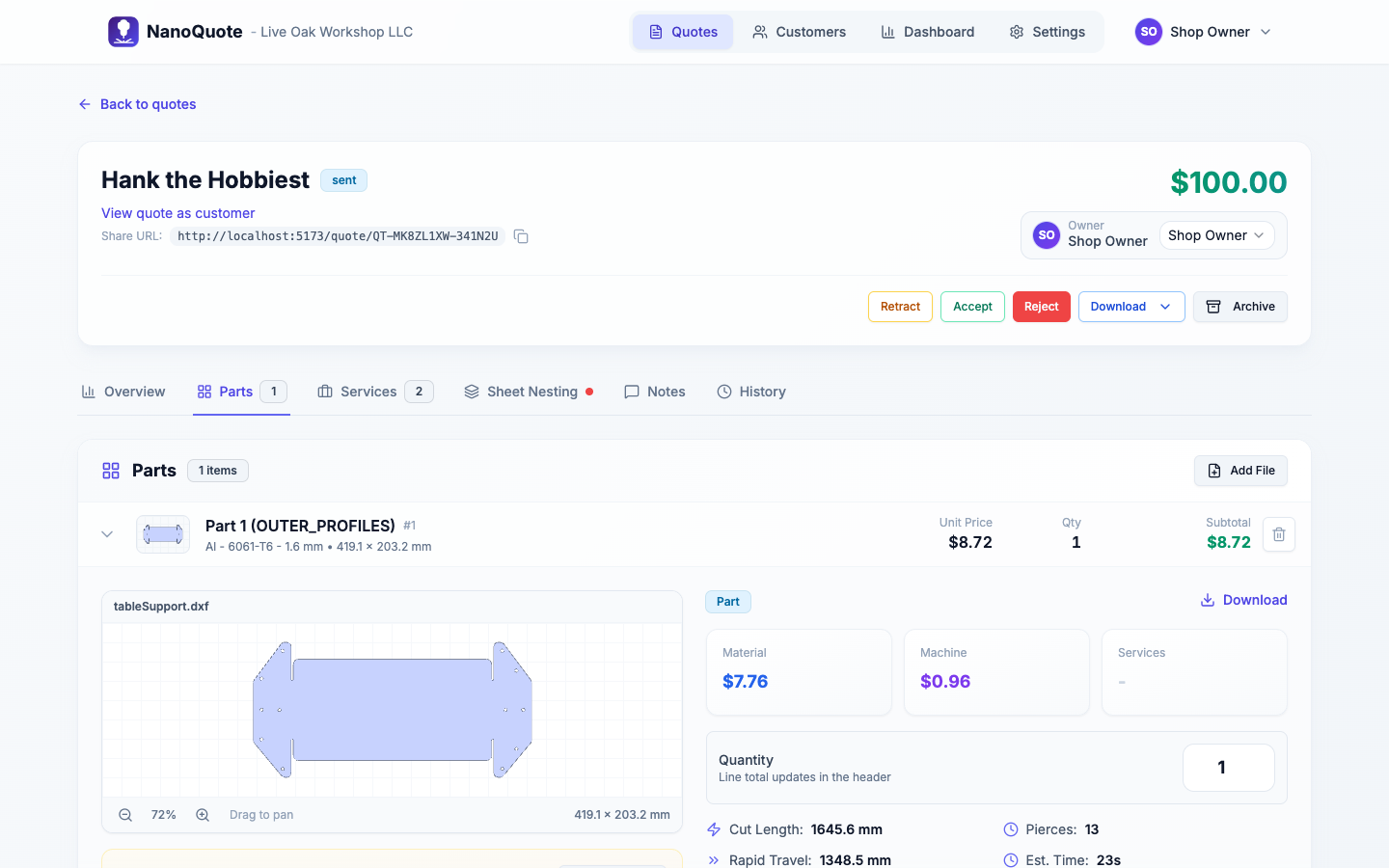
Turn the file into parts you can price, quantity, and annotate.
- Part quantities and per-part pricing
- Optional services per part
- Clear breakdown that matches how shops think
Want the deep dive? Read the related docs.
4) Check nesting and utilization
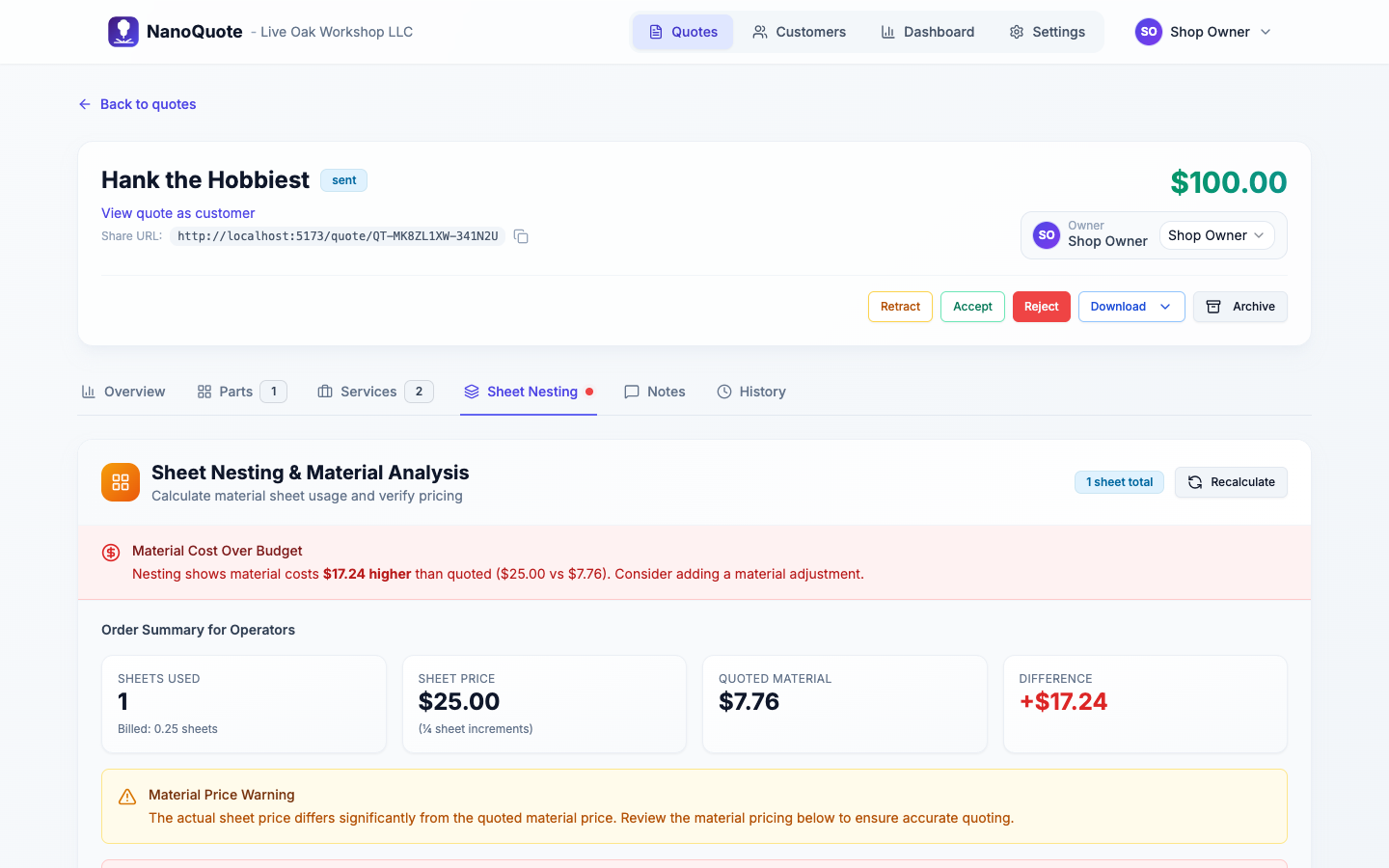
See sheet usage before you commit-bill correctly and avoid surprises.
- Nesting preview for sheet count
- Material utilization sanity check
- Supports billable sheet math
Want the deep dive? Read the related docs.
5) Add services (optional)
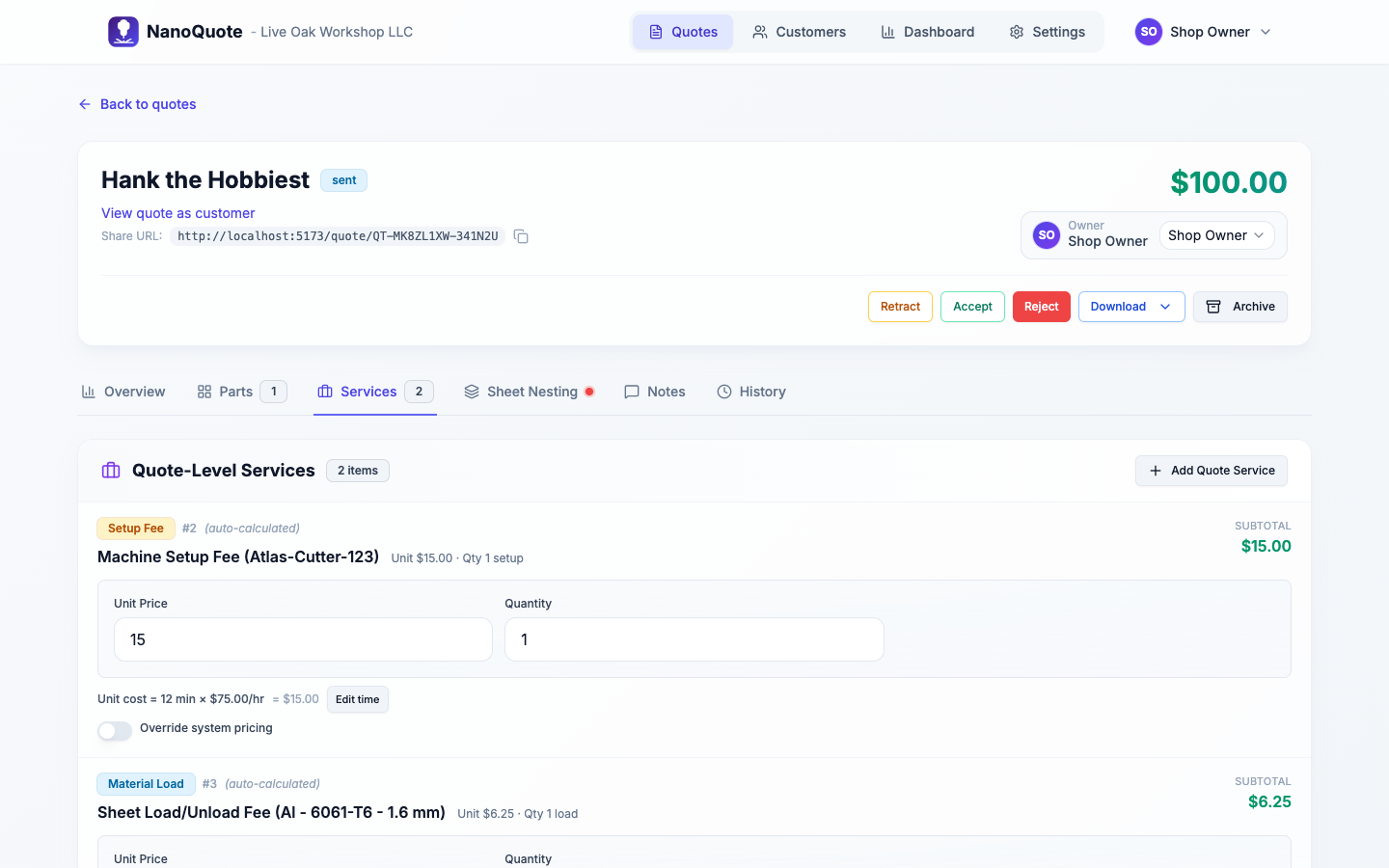
Add setup, programming, deburr, tapping, finishing, freight-whatever your shop charges.
- Quote-level services (once per quote)
- Part-level services (per part or per batch)
- Reuse a service catalog for consistency
Want the deep dive? Read the related docs.
6) Share the customer quote link
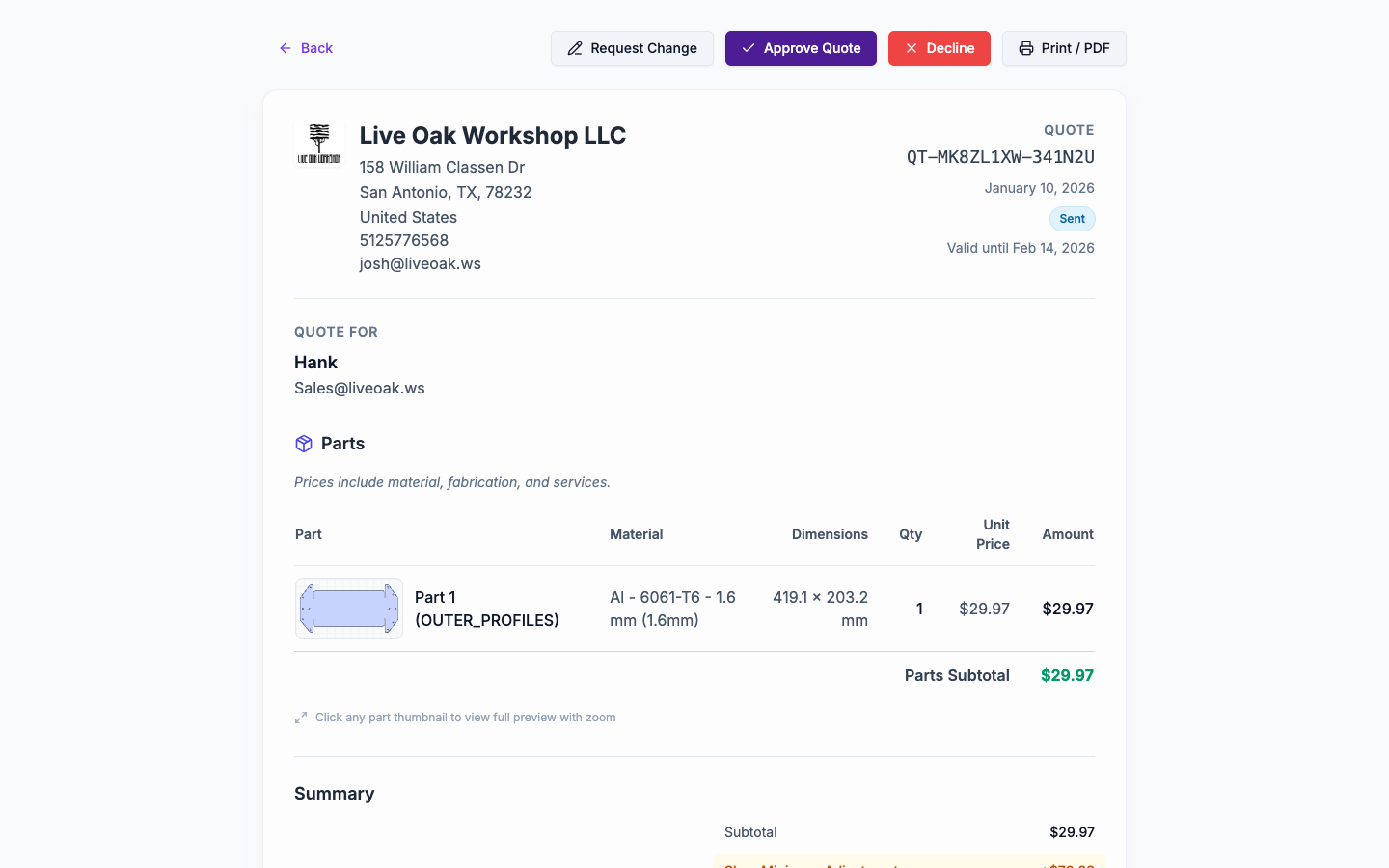
Send a clean, customer-ready link-no customer account required.
- Professional quote presentation
- Customer can accept / reject / request changes
- Status updates are tracked automatically
Want the deep dive? Read the related docs.
7) Track everything
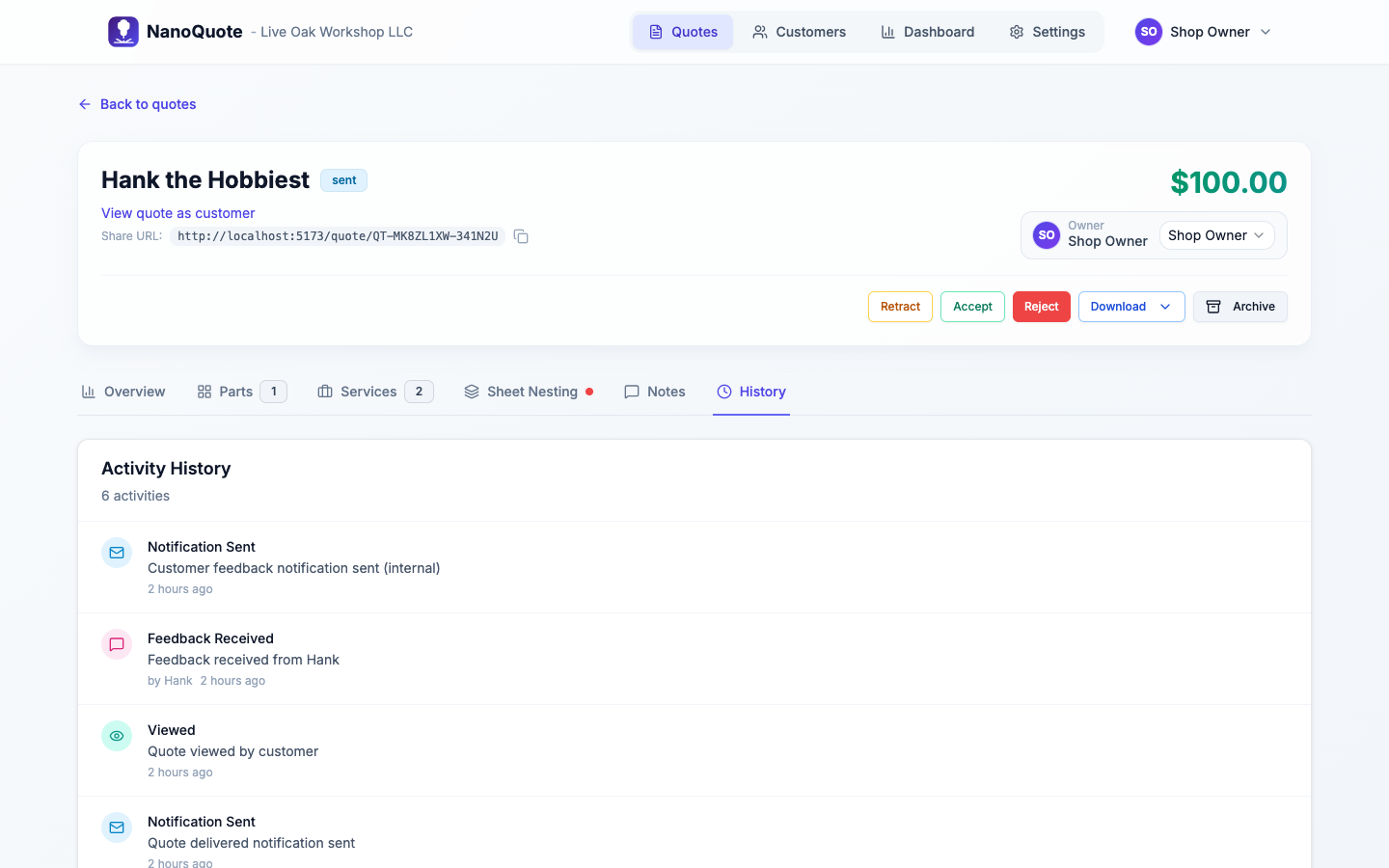
Watch status changes, notes, and history without losing context in email threads.
- Quotes list and pipeline visibility
- Quote history timeline
- Customer detail view with quote history
Want the deep dive? Read the related docs.
Ready to try it on a real DXF?
Start free and run your normal quoting process end-to-end. You can also explore the docs for best practices.