Machine and material libraries
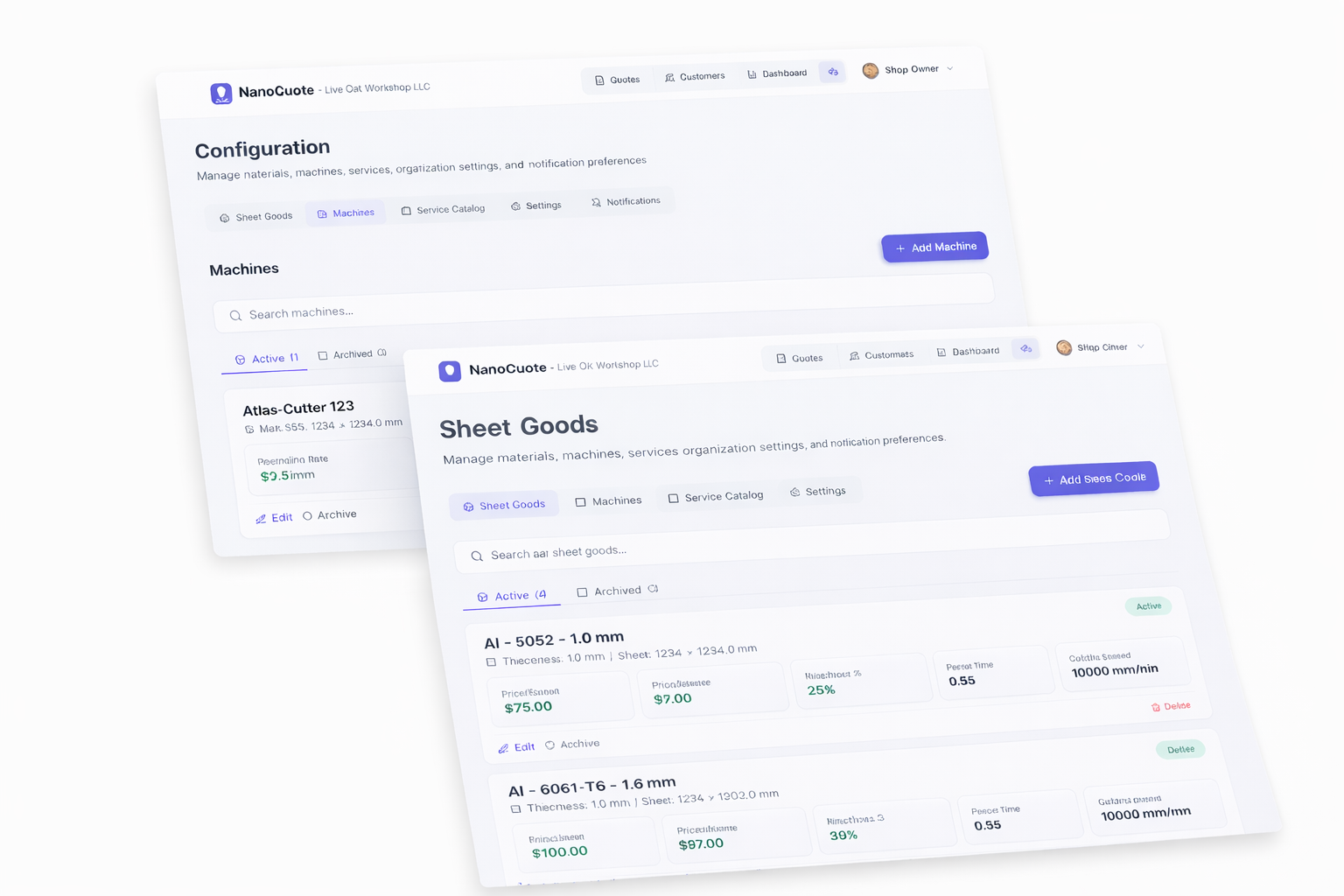
Store your real feed rates, pierce times, and material costs in one place. Select machine and material when quoting - the math updates automatically. No more hunting for specs or guessing cut rates.
When machine/material data isn't centralized
Specs scattered everywhere
Feed rates in a spreadsheet. Pierce times in your head. Material costs on a sticky note. Each quote is a scavenger hunt.
Different rates per person
You quote 1/8" mild steel at 80 IPM. Your shop partner quotes 100 IPM. Same job, different prices.
Outdated material costs
Steel prices went up last month. Your spreadsheet still has the old numbers. Margin evaporates.
New-machine guessing
You added a faster laser. Now every quote involves guessing what the new cut rates should be.
Can't compare machines
Customer needs it fast. Which machine actually saves the most time? Without data, you're guessing.
How machine and material libraries work
Create machine profiles
Define each machine with its hourly rate, bed size, and default capabilities.
Build material entries
Add materials with thickness, density, and cost per pound/sheet. Update prices when suppliers change.
Add cut rates per machine × material
Specify feed rates and pierce times for each combination. Your 4kW and 6kW lasers have different speeds - capture that.
Select machine/material when quoting
Pick from dropdowns. Cut time, material cost, and pricing calculate using your stored data.
Update once, quote everywhere
Material price changes? Update the library. All future quotes use the new cost.
Library features
Machine profiles
Store machine name, hourly rate, bed dimensions. Switch machines per quote to compare cut times and costs.
Material database
Materials with type, thickness, density, and cost. Organize by category (mild steel, stainless, aluminum).
Cut rates matrix
Feed rates and pierce times for each machine × material combo. Your actual shop data, not theoretical.
Dropdown selection
When quoting, pick machine and material from lists. No manual entry of specs every time.
Price updates propagate
Update a material's cost per pound and future quotes reflect it. Existing quotes stay locked to original pricing.
Team consistency
Everyone uses the same libraries. No more 'what feed rate do we use for 1/4" stainless?'
Why centralized libraries matter
Frequently asked questions
Yes. Add as many machines as you have. Each can have different hourly rates and cut rate profiles.
Start with manufacturer recommendations or conservative estimates. As you cut jobs, refine the numbers based on actual performance.
Machines and materials are shared across your organization. Any team member can select any machine when quoting.
Edit the material entry with the new price. Future quotes use the updated cost. Existing sent quotes retain their original pricing.
Cut rates are per machine × material × thickness. If your 6kW cuts 1/4" mild steel faster than your 4kW, each has its own entry.
Currently, materials are added manually. This ensures accuracy and helps you audit your own specs as you enter them.
Related resources
Related Product Features
Ready to quote faster and more accurately?
Start with 5 free quotes - no credit card, no commitment. See how NanoQuote fits your shop.