Everything you need to quote DXF jobs accurately - without the ERP bloat.
NanoQuote is built for real fabrication shops. It turns DXFs into quotes with clear pricing logic, material utilization checks, and a customer-ready share link.
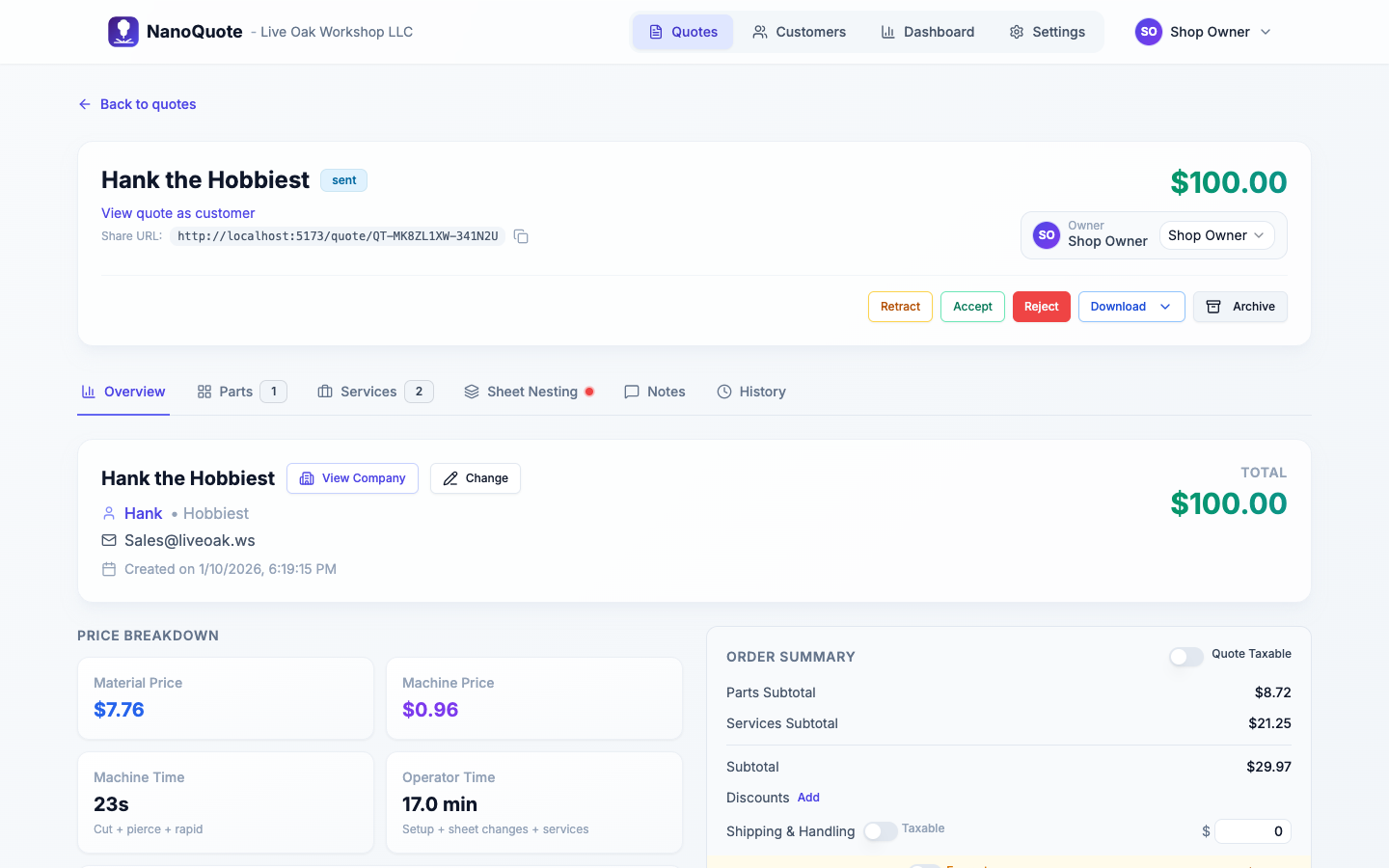
DXF parsing with smart setup defaults.
Upload DXF files, then control exactly what becomes a line item. NanoQuote detects sources inside the DXF, including layers, and lets you choose units when files are ambiguous.
- Layer-level enable/disable and unit selection (mm vs inches).
- Optional paper space inclusion for complex CAD exports.
- Preview cut metrics before creating parts (cut length, dimensions, rapid moves).
- Set defaults for customer, material, machine, and quantity during upload.
Reference: Quotes overview
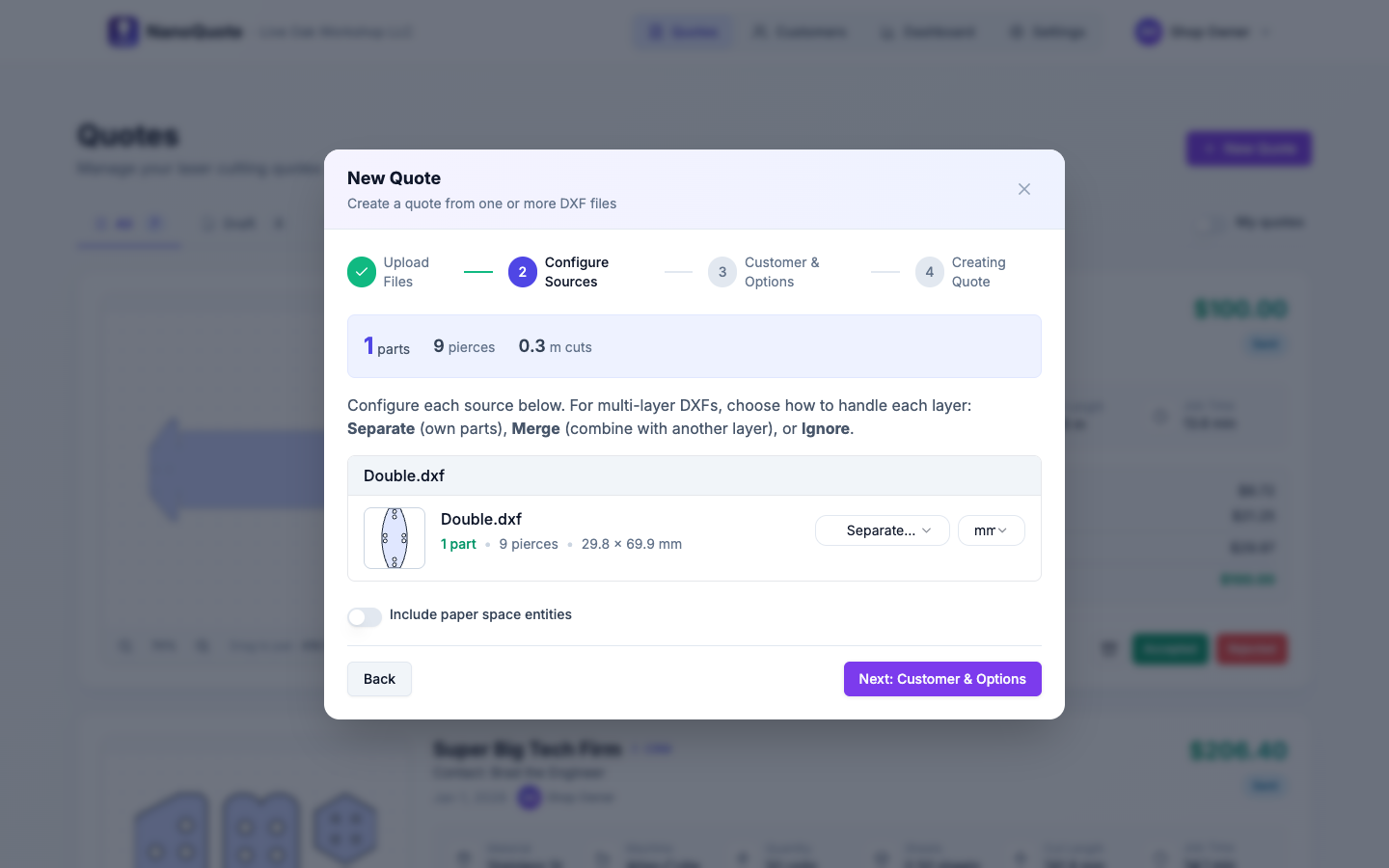
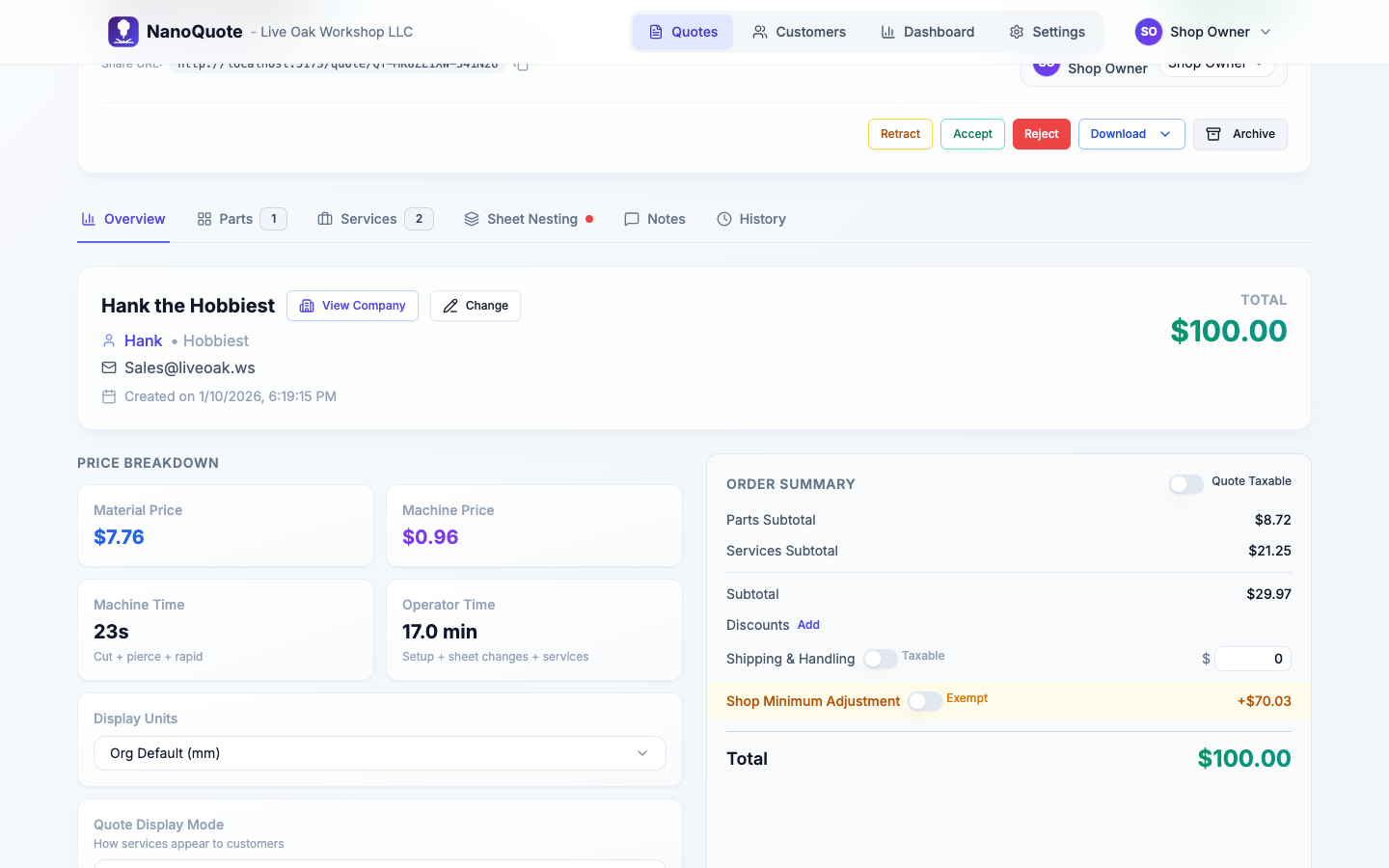
Pricing breakdowns that make sense.
Every quote includes a live calculator that explains how material, machine time, and services roll up into totals - before you send anything out.
- Per-part pricing with material, machine, and service contributors.
- Quote-level services for programming, freight, or finishing.
- Per-piece vs per-batch services (batch charges bill once per run).
- Automatic setup fees and material load fees tied to operator rate.
- Tax, shipping, and display unit controls per quote.
Reference: Quote editor
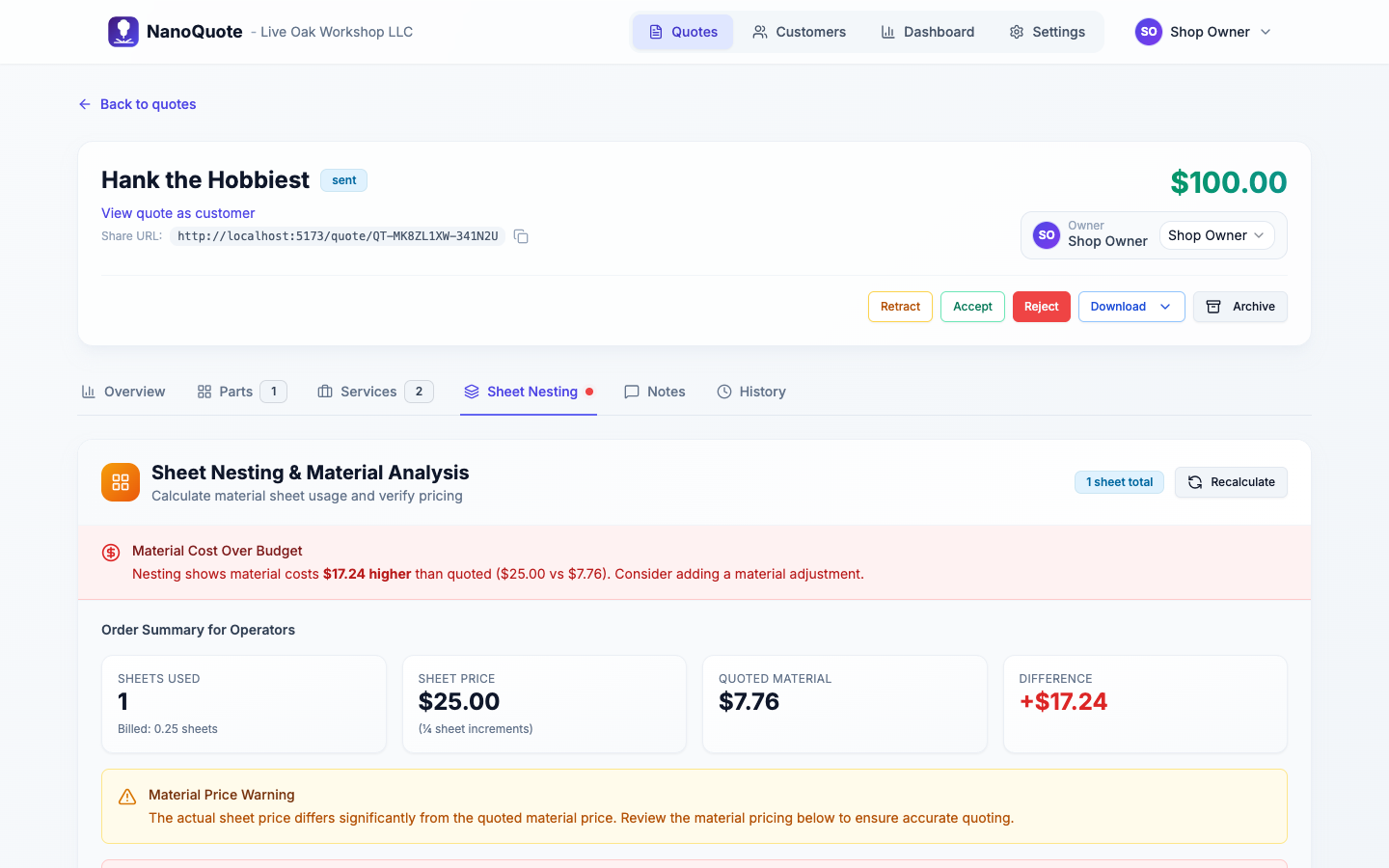
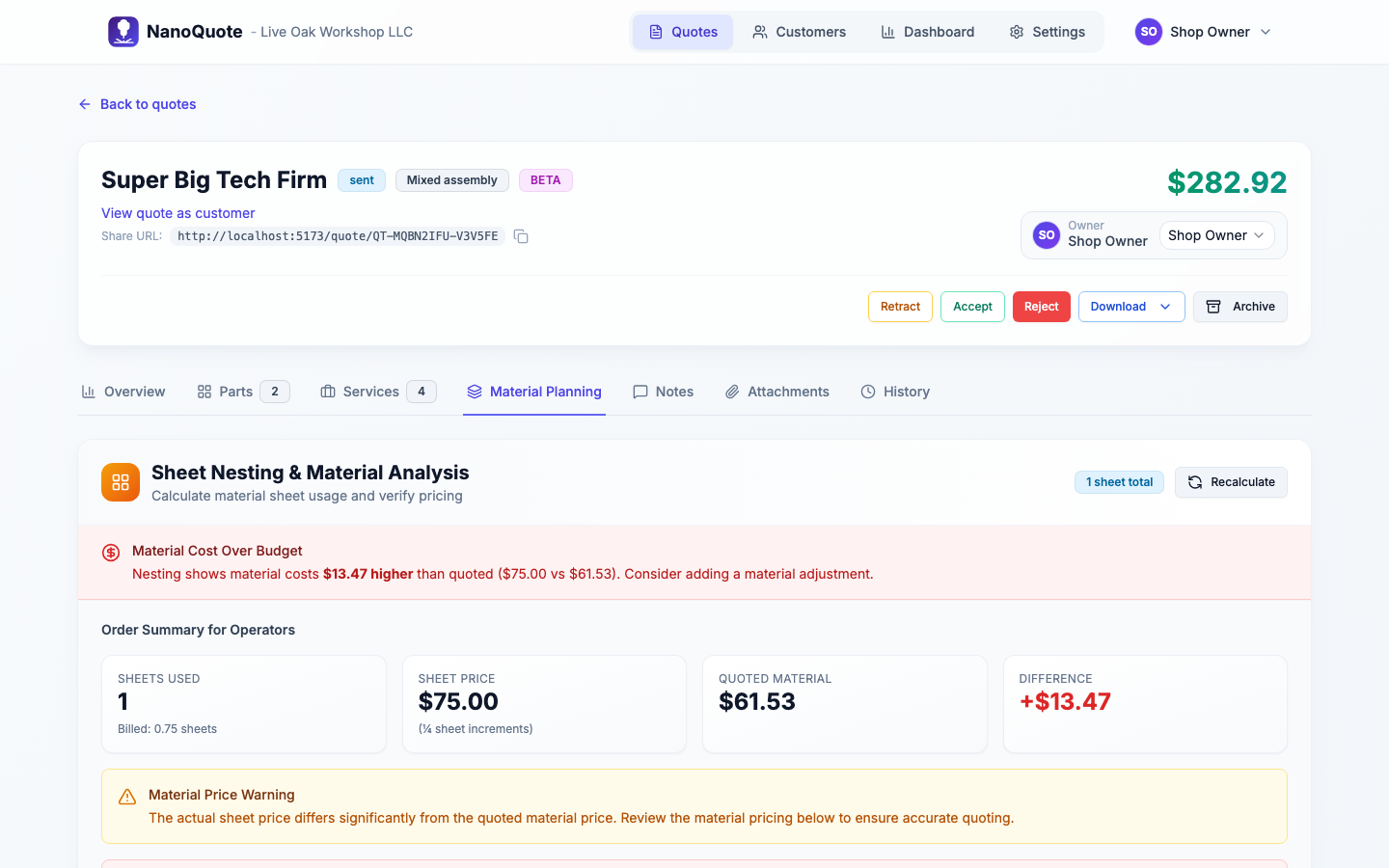
Nesting and material utilization checks.
Run nesting to validate sheet usage and billable sheet counts. NanoQuote compares quoted material totals with actual utilization so you can correct before you send a quote.
- Calculate nesting after edits to parts, materials, or quantities.
- Sheet counts and billable sheet counts update automatically.
- Material load fees adjust based on fractional sheet usage.
- Optional material adjustments if quoted vs actual sheet cost diverges.
Reference: Quote editor
Tube cutting quotes (beta).
Quote round, square, and rectangular tube from STEP files with 1D stick allocation, pierce-aware machine time, and tube stock catalogs. Mixed assembly quotes can combine sheet and tube parts.
- STEP tube detection with profile, length, and hole pierce counts.
- Tube stock catalog with stick length and per-stick/meter/foot pricing.
- Billable sticks, utilization, drop, and remnant estimates before send.
- Customer quote links include Tube Stock Assumptions.
Learn more: Tube cutting quotes · Tube laser use case
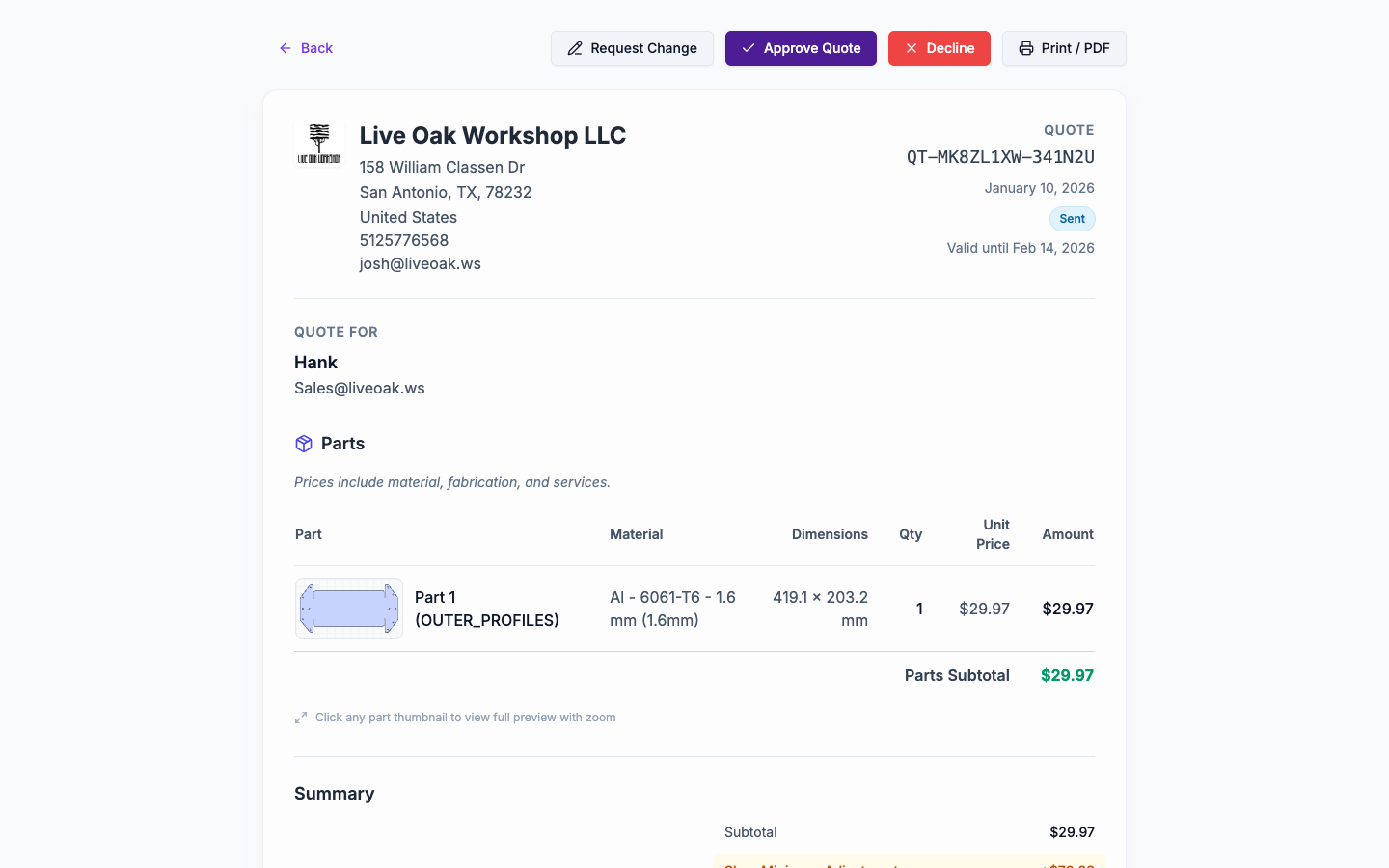
Shareable quotes that customers can act on.
Send a quote once and give customers a clean, branded view without requiring a login. They can accept, reject, or request changes directly from the link.
- Draft → sent → accepted/rejected statuses with audit history.
- Retract a sent quote to disable access instantly.
- Send updates if a quote changes after delivery.
- Choose customer display mode: line items or part costs.
- Keep services visible with "Always show as line item."
Reference: Customer quote page
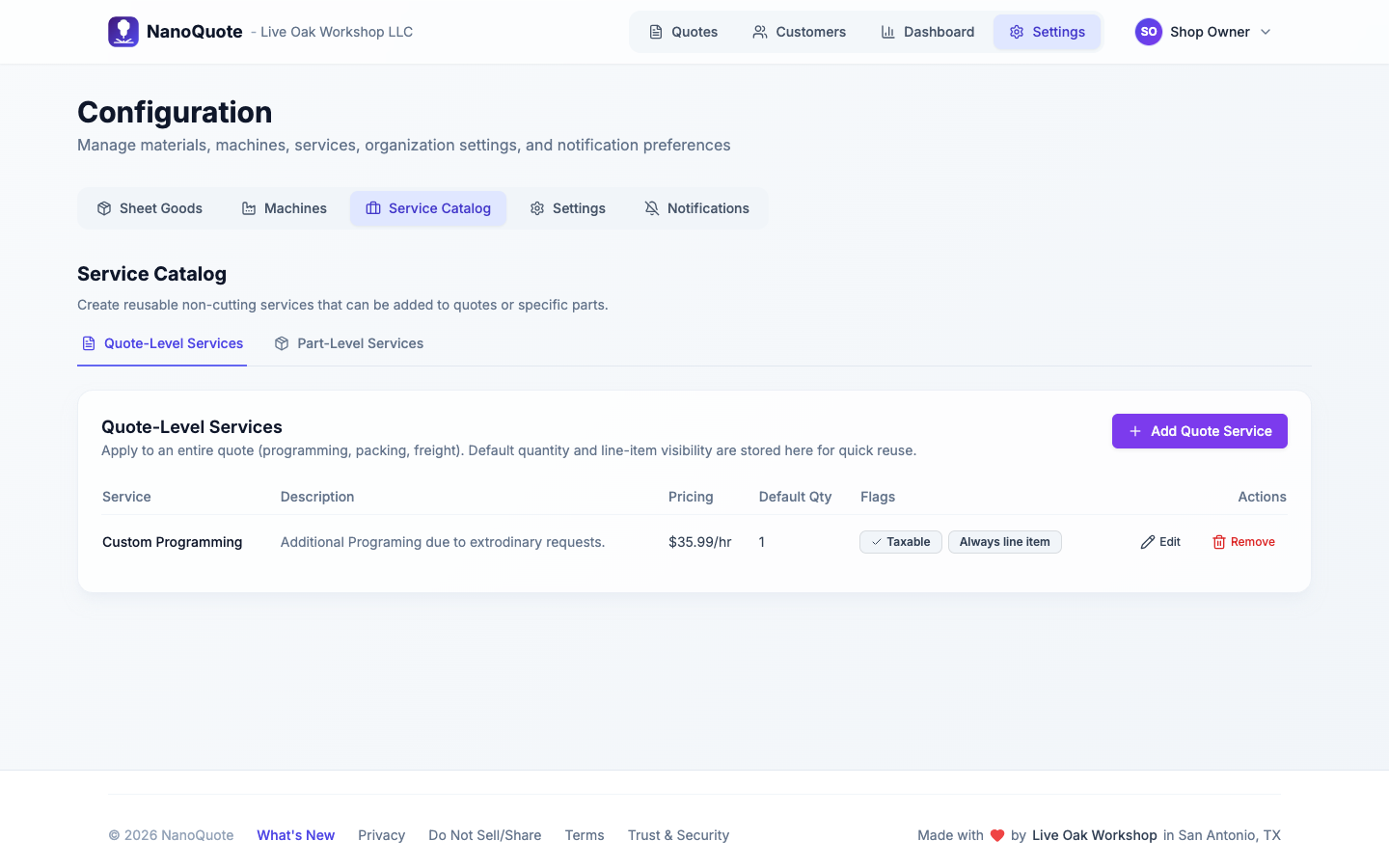
Service catalog for repeatable add-ons.
Save your common services once, then apply them to quotes or parts with a single click. Keep pricing consistent across your team and speed up quoting for non-cutting work.
- Quote-level services for programming, freight, or packaging.
- Part-level services for deburr, tapping, or finishing.
- Per-part vs per-batch pricing defaults baked in.
- Catalog pickers inside quote and part service modals.
Reference: Configuration
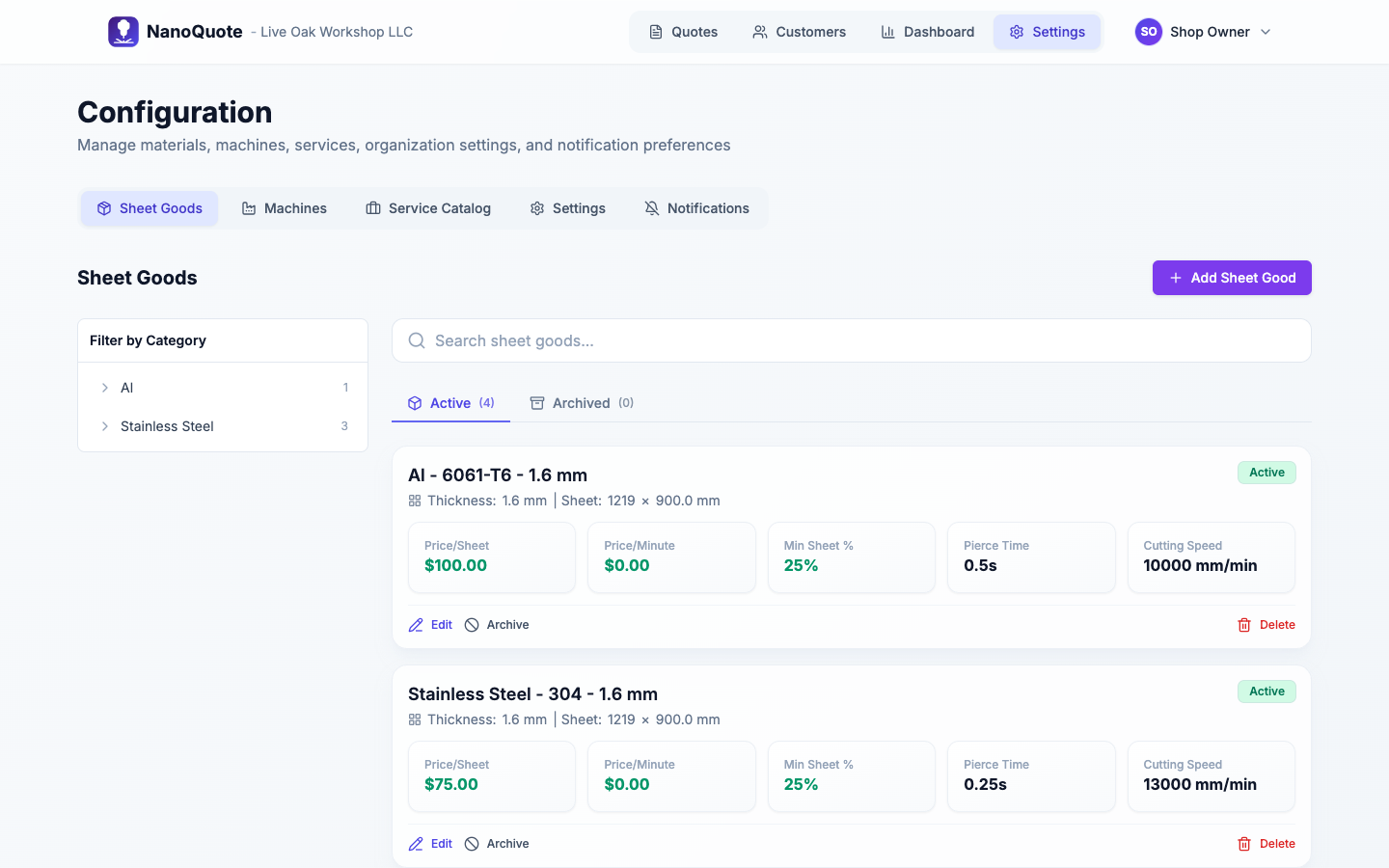
Configurable pricing inputs for real shops.
Set your sheet goods, machines, and organizational defaults once, then reuse them across every quote. Multi-machine shops can store per-machine cutting parameters and compatibility.
- Sheet size, sheet price, and minimum billable percentage.
- Cutting speed, pierce time, cut price/min, and load/unload time.
- Machine limits: max sheet size, operating rate, setup time, rapid speed.
- Default operator rate, tax rate, terms, and quote display mode.
- Branding controls for customer-facing quotes.
Reference: Configuration
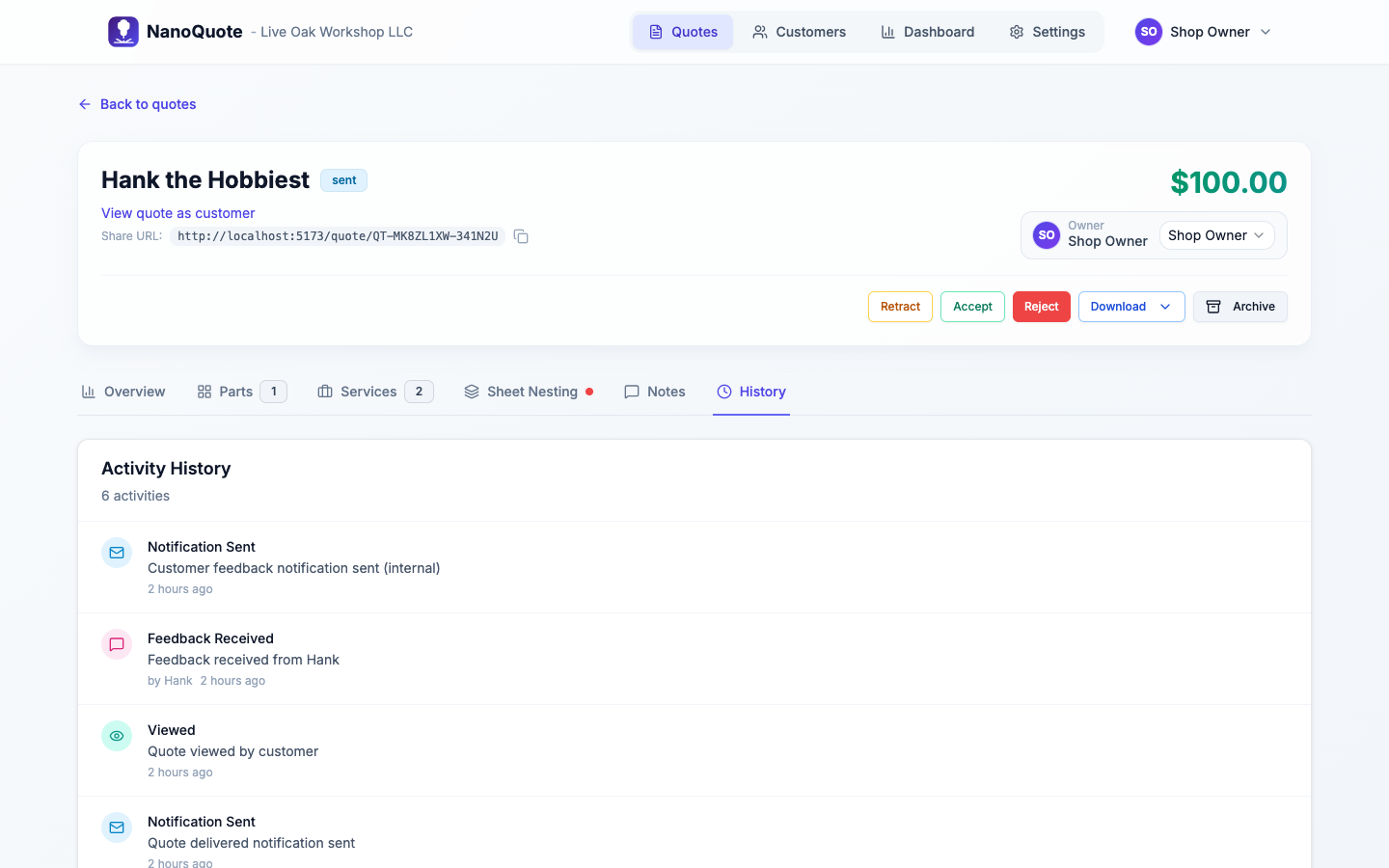
Full visibility with notes, history, and notifications.
Track every action on a quote, capture internal notes, and keep your team in sync with configurable notifications.
- Automatic history log for status changes, edits, and pricing recalculations.
- Internal notes and customer feedback captured in one place.
- Email templates and notification rules for sent, accepted, or revised quotes.
Reference: Notifications
Explore more
Whether you're solving a specific quoting problem or just getting started with a new machine, we've got guides to help.
Solutions
Common quoting problems - underquoting, DXF confusion, inconsistent pricing - and how NanoQuote fixes them.
Browse solutions →Product
Deep dives into DXF parsing, nesting, service catalogs, and everything else under the hood.
Explore product →New Fiber Laser Owner?
First-time quoting guides, what-to-charge advice, and brand-specific tips for xTool, Gweike, and more.
Start here →Use cases by shop type.
Explore how NanoQuote supports fiber laser, plasma, waterjet, sheet metal, and job shop workflows.
Ready to see NanoQuote on your next DXF?
Start free, import a file, and see how fast it is to get a quote you can trust.