
Customer quote page
What customers see and what actions they can take.
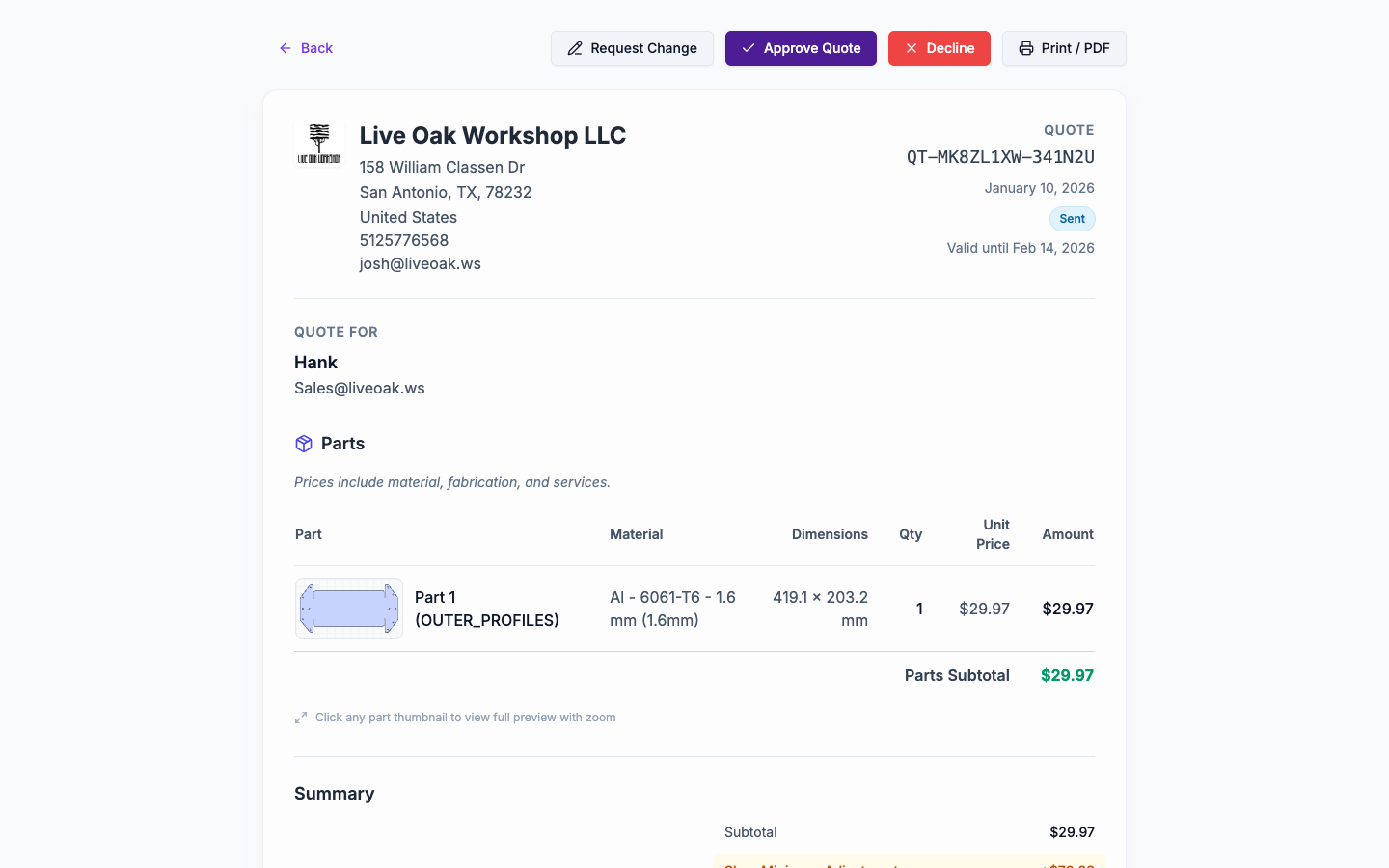
The customer quote page is a clean, shareable view of a quote. Customers do not need a NanoQuote login.
How customers access it
- After you Send Quote, a share link is available.
- Anyone with the link can view the quote unless it is retracted.
Customer actions
Customers can:
- Print the quote.
- Accept the quote.
- Reject the quote (optionally include feedback).
- Request changes (sends feedback back to your team).
Attachments
If you've added attachments to the quote and marked them as Visible to customer, they appear in an Attachments section on the customer page.
- Customers can download each visible attachment.
- Internal-only attachments (visibility off) are not shown.
- Attachments open in a new browser tab when clicked.
Display modes (what the customer sees)
NanoQuote can show services in two ways:
- Line items: services appear as separate line items.
- Part costs: services are rolled into per-part pricing, and the customer sees cleaner part pricing.
Where to control this:
- Default: Settings -> Configuration -> Settings (Quote display mode).
- Per quote: Quote editor -> Overview tab -> Quote display mode.
Tip: use Always show as line item on a quote-level service if you want it visible even in Part costs mode.
When the page updates
- If you edit a sent quote, use Send Update to notify the customer.
- Retracting a quote disables the link.