
Materials (sheet goods)
Set sheet pricing, minimum billable sheet rules, and cutting parameters.
Materials (sheet goods) control sheet pricing, billable sheet rules, and cutting parameters used by quote calculations.
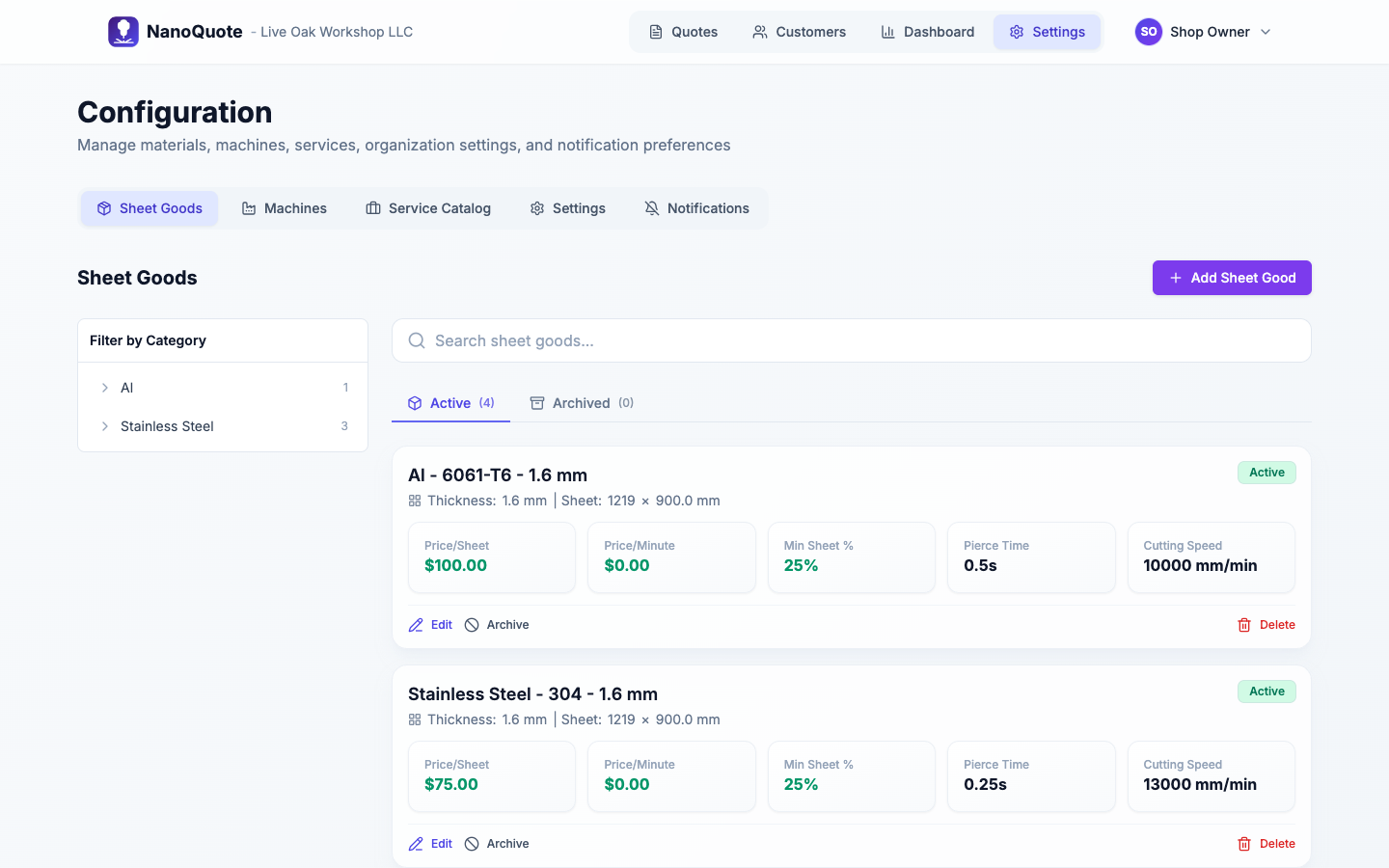
Where to find materials
Open Settings → Configuration → Sheet Goods.
Add or edit a sheet good
Select Add Sheet Good (or Edit on an existing one) to open the full-page editor.
Core fields:
- Thickness: drives cut speed selection and material naming.
- Sheet width/height: used for fit checks and nesting utilization.
- Price per sheet: base material cost before utilization rules.
- Minimum sheet % to bill: the smallest fraction you will bill (e.g. 25% minimum = bill at least 0.25 sheets).
- Cutting parameters: cut speed, pierce time, and (optionally) cut price per minute.
- Sheet load/unload time: operator time used by load fees.
Single-machine vs multi-machine setups
- Single machine shops: cutting parameters appear once.
- Multi-machine shops: each sheet good includes per-machine compatibility and per-machine cutting parameters.
If a material is not compatible with a machine, it will be disabled in quote defaults and per-part overrides when that machine is selected.
Material naming and taxonomy
Materials are organized for fast picking and clean customer display:
- Category: high-level family (Steel, Aluminum, Stainless, etc.).
- Grade: variant within a category (304, 316L, 6061, etc.).
- Name: can be auto-generated or manually set.
When Auto naming is enabled, the name is generated as:
[Category] - [Grade] - [Thickness] [org units] (example: Steel - 304 - 0.125 in).
How materials affect quotes
- Defaults: new quotes use your selected default material; parts can override material per line item.
- Nesting: the Nesting tab estimates sheet usage and utilization based on the material sheet size.
- Billable sheets: minimum billable percentages influence rounded/billable sheet counts and load-fee quantities.
- Outdated warnings: changing material pricing or parameters can mark older quotes as out of date.
Related: