Notifications and email templates
Configure who gets notified and customize message templates.
Notifications let you control who gets emailed and what messages look like.
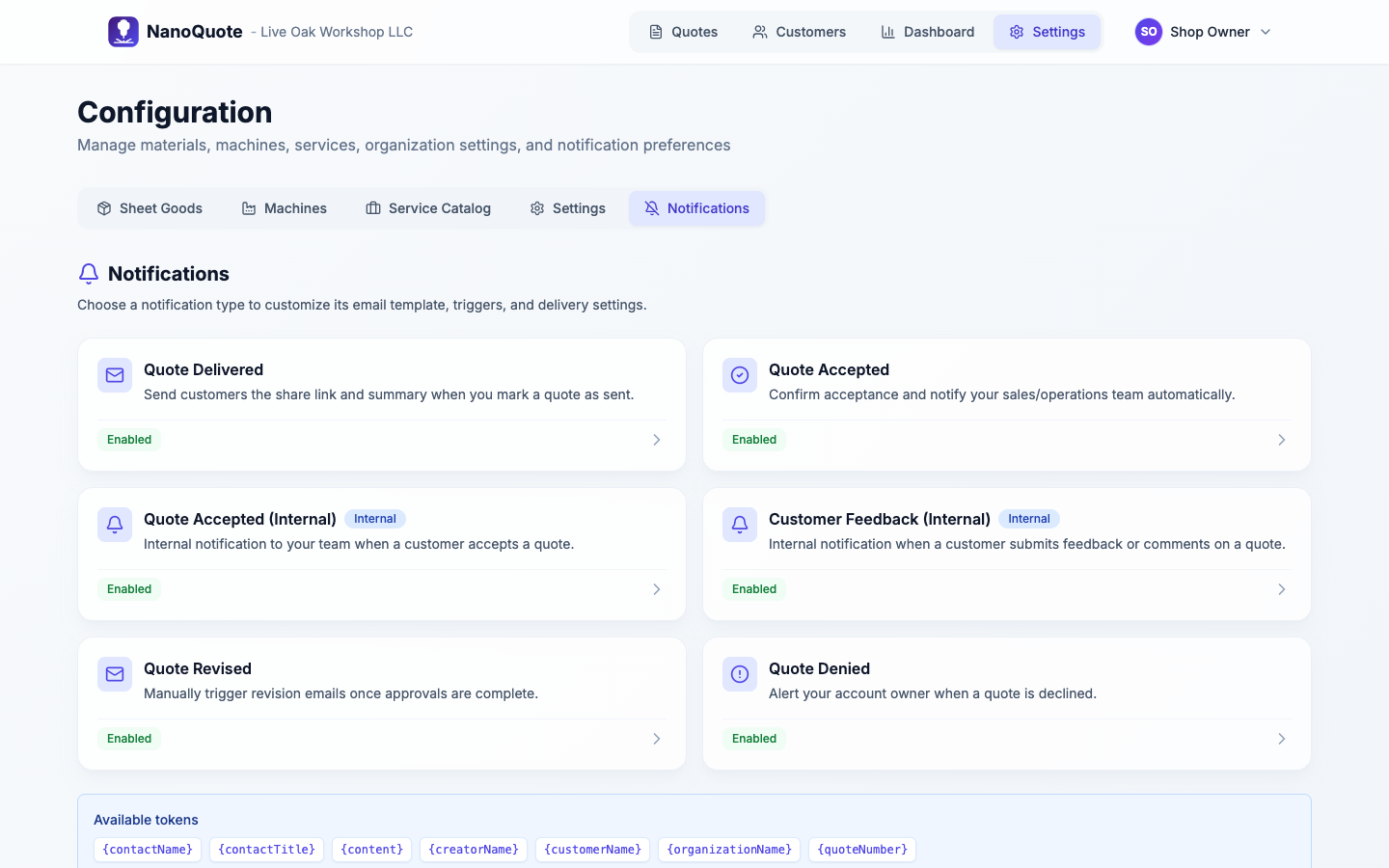
Where to find notifications
Open Settings -> Configuration -> Notifications.
Notification types (common)
Quote-related:
- Quote delivered (customer)
- Quote accepted (customer confirmation)
- Quote accepted (internal)
- Quote revised (customer)
- Quote denied/rejected (internal)
Digest-style:
- Daily dashboard
- Daily material warnings
Recipients (internal notifications)
Internal notifications can be sent to:
- Quote owner
- Contact/customer owner
- Org owners/admins
- Everyone in the org
- Specific users
- Additional CC emails
Templates and tokens
Templates include:
- Subject
- Body
The system supports tokens like:
{quoteNumber}{customerName}{contactName}{creatorName}{organizationName}{content}(auto-generated summary block for some notifications)
Tips
- Keep the subject short and put detail in the body.
- Use internal recipients for operational alerts, and customer notifications for shareable updates.