
Onboarding and setup
Set display units, operator rate, machines, and materials.
Onboarding walks you through the minimum setup NanoQuote needs to price work consistently.
What onboarding covers
- Organization settings
- Machines
- Sheet goods (materials)
- Completion
You can edit these settings later under Settings -> Configuration.
Organization settings

Common fields:
- Display units: imperial or metric. This controls how sizes are shown in the UI.
- Currency and Tax rate: used for quote totals.
- Baseline operator rate: $/hour used for setup and handling fees.
- Business name/address/phone/email/website: shown on customer-facing quotes.
- Default terms: used when a customer does not have their own terms.
Add machines
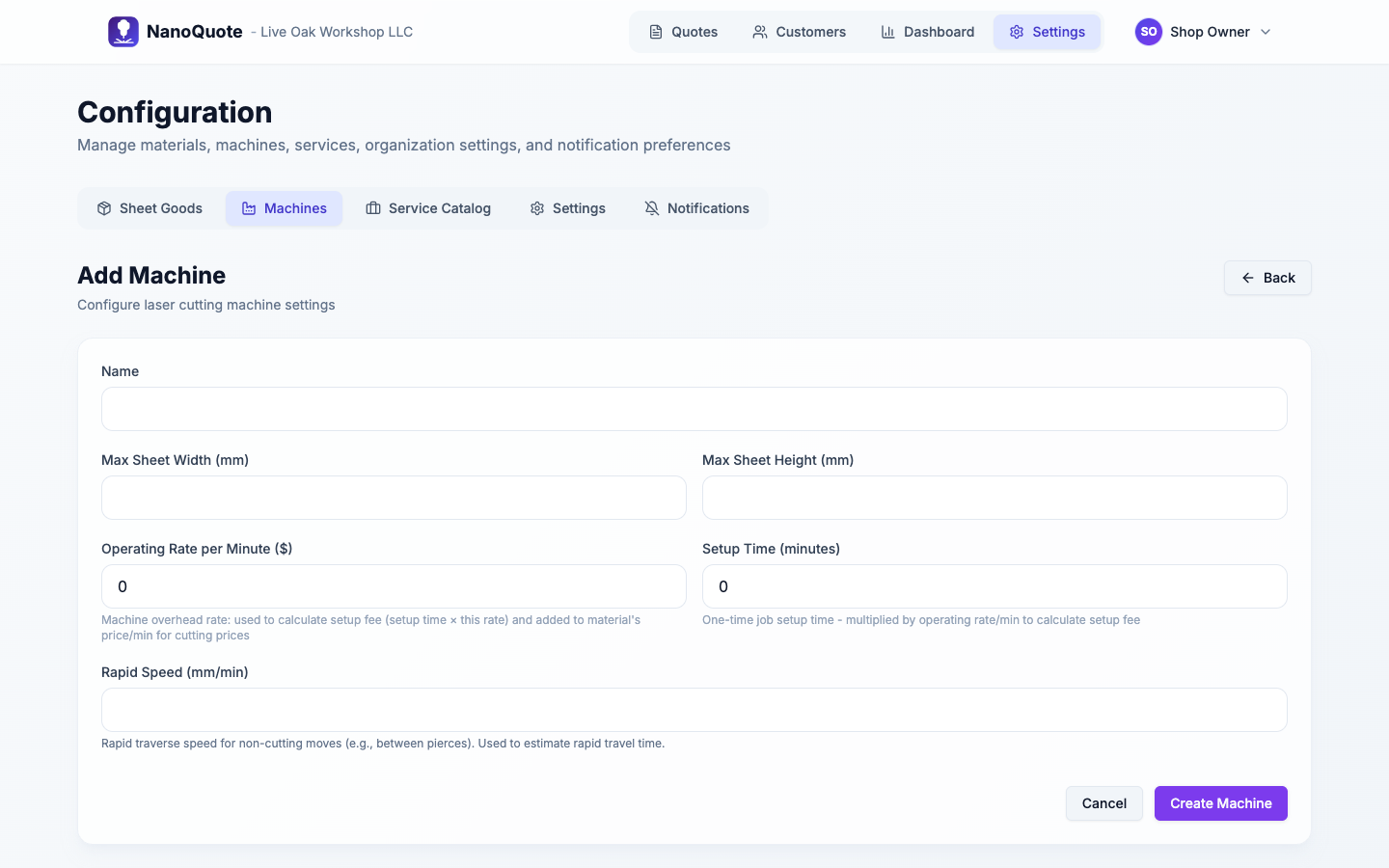
Machine settings drive capacity checks and costs:
- Max sheet width/height: used to flag oversized parts and sheet fit issues.
- Operating rate per minute: overhead rate for machine time.
- Setup time: fixed setup minutes.
- Rapid speed (optional): affects rapid travel estimates (non-cutting motion).
Add sheet goods (materials)
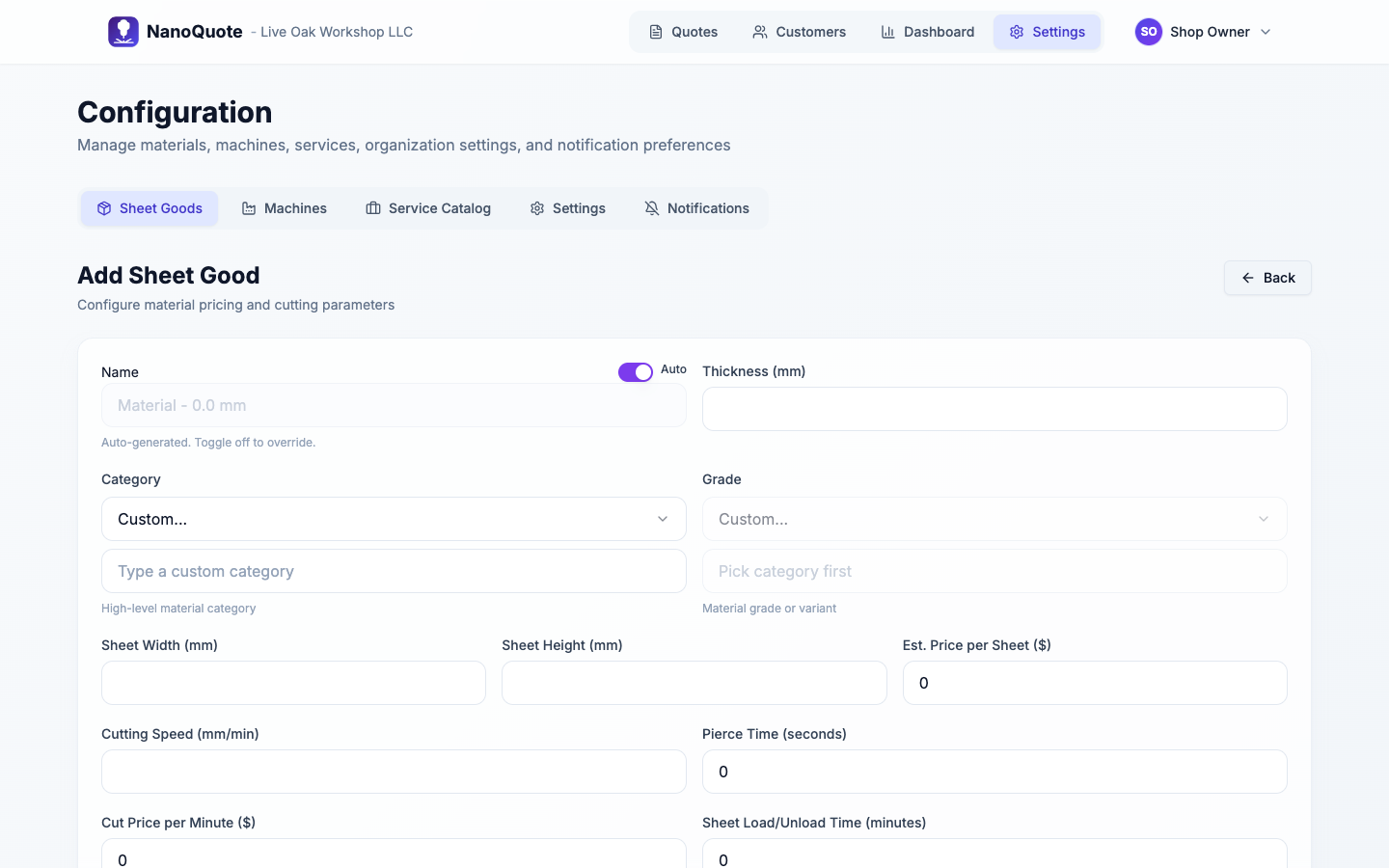
Material settings drive cutting time and sheet costs:
- Thickness
- Sheet width/height
- Price per sheet
- Cutting speed and Piercing time
- Price per minute (optional)
- Sheet load/unload time (minutes): used for sheet handling fees (operator time).
If you have multiple machines, the sheet good editor expands to per-machine settings so you can set compatibility and cutting parameters for each machine.
For deeper setup details:
Invite teammates (optional)
Workspace owners/admins can invite teammates under Settings -> Configuration -> Settings -> Members.
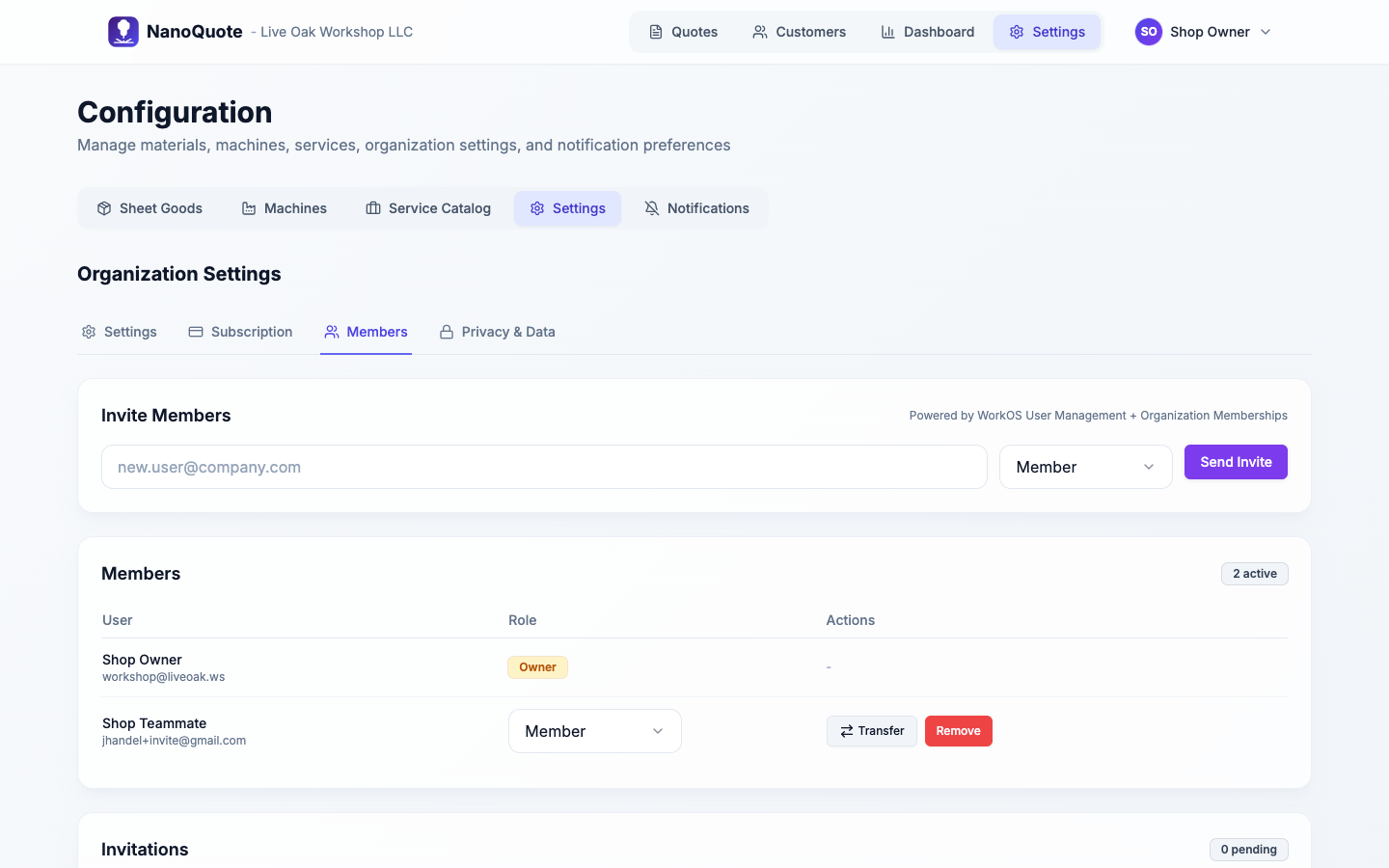
Roles:
- Owner: full access (including billing).
- Admin: can configure and invite members.
- Member: day-to-day quoting.
Next: Quotes overview